Uploading Files
What the platform accepts, what the per-plan limits are, and how to handle large or unusual files.
Supported file types
| Category | Formats accepted |
|---|---|
| Documents | PDF, DOC, DOCX, TXT, RTF |
| Images / Photographs / Artefacts | JPG, JPEG, PNG, TIFF, TIF, WEBP, BMP, HEIC, HEIF |
| Audio | MP3, WAV, FLAC, M4A, OGG, AAC |
| Video | MP4, MOV, AVI, MKV, WEBM |
A file's category is detected from its extension and MIME type. You can override the detected category per file in Step 3 of the wizard if the AI misclassifies a mixed accession.
You can also drop a .zip onto the upload area: it's uploaded as one blob, scanned on the server, and its contents are added as individual files. One level of folders is flattened; a ZIP that's deeper than the accession can hold is refused with a reason.
Limits by plan
The platform enforces per-file size limits, storage caps, and per-accession item limits.
| Community | Starter | Professional | Institution | |
|---|---|---|---|---|
| Monthly credits | 30 | 500 | 2,000 | 6,000 |
| Total storage | 2 GB | 100 GB | 500 GB | 2 TB |
| Items per accession | 10 | Unlimited | Unlimited | Unlimited |
| Document / image size | 10 MB / 10 MB | 50 MB / 500 MB | 50 MB / 500 MB | Unlimited |
| Audio | 50 MB | 500 MB | 500 MB | Unlimited |
| Video | — | 2 GB | 2 GB | Unlimited |
| Pages per document | 10 | 300 | 300 | Unlimited |
| Retention | 28 days | Permanent | Permanent | Permanent |
Credits, not items: an image is 1 credit, a document is 1 credit per page, video is 1 credit per started minute and audio is 1 credit per started five minutes. The allowance belongs to the workspace, not to each person in it.
How uploading works
- Drag and drop onto the upload area, or click Browse files.
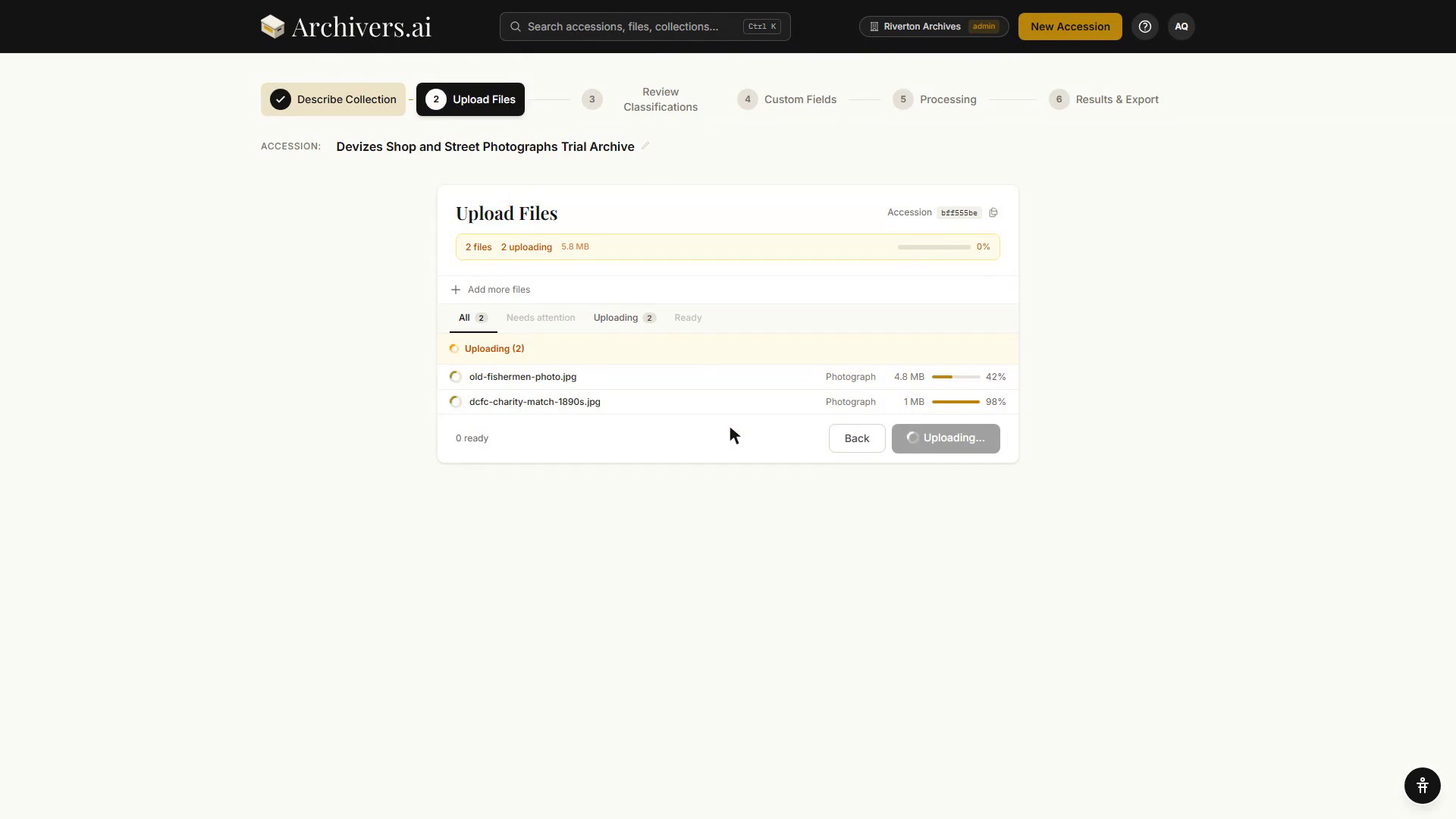
- Files queue and upload in parallel; the page shows per-file status (Pending, Uploading, Uploaded, Error).
- Uploads continue in the background. You can navigate away and come back — your draft accession stays in In Progress on the Dashboard.
- After upload, processing starts automatically.
What happens after upload
For each file, the platform runs:
- Vision analysis for all items — documents are analysed visually and receive a transcribability score; photographs and artefacts are identified with object type, materials, condition, dimensions
- Classification — assigns the file to a category and populates the relevant metadata schema
- Authority resolution — links extracted subjects, people, places, and organisations to LCSH / FAST / Getty AAT / Getty TGN / VIAF / GeoNames / Wikidata
OCR and transcription are opt-in. After processing, documents and media items display a transcribability score. Click "Run OCR" or "Transcribe" on any item to extract the full text.
Common upload questions
Can I add more files to an existing accession? Yes — there are two ways:
- From the accession page: Open the accession, then Add → Add files. New files run through the same processing pipeline, and the page offers a Process N new files shortcut once they've landed.
- From the upload wizard: When starting a new upload, choose "Add to existing accession" instead of "New accession" on the first step. Search by accession number or title, select it, and upload. The files are added to that accession and process automatically.
A file failed to upload — what happened? Most commonly: file size over your plan's per-category cap, an unsupported file type, or a network drop. The row shows the error. Re-upload after fixing the underlying issue.
Can I cancel a file mid-upload? Yes — there's an X on each in-flight row. The file is removed from the accession; storage and quota aren't consumed.
My photograph is a multi-page TIFF. You can process the file as a single document, or split it into one image per page. See Multi-page TIFFs.
Should I upload a derivative or the master? Upload the highest-quality version your plan's file-size cap allows. Archivers.ai doesn't re-derive previews from masters automatically.
Can volunteers upload files remotely? Yes — use the Field Capture mobile app. Volunteers can photograph items on-site with their phone, even when offline, and sync when back online. See Volunteer Field Capture.