What Is an Accession?
An Accession is one batch of materials taken into the archive at a single point in time — usually from one source. It's the most fundamental unit of work in Archivers.ai: every file you upload belongs to exactly one accession.
The mental model
Think of an accession as "the box that arrived".
- A genealogist drops off a folder of correspondence → one accession.
- A council archivist uploads last quarter's meeting minutes → one accession.
- A community group scans their photograph albums → one accession (per album, or one for the whole donation, your call).
The provenance principle — keep records that arrived together, together — is built in. Archivers.ai never silently mixes files from different accessions.
What's in an accession
Every accession has:
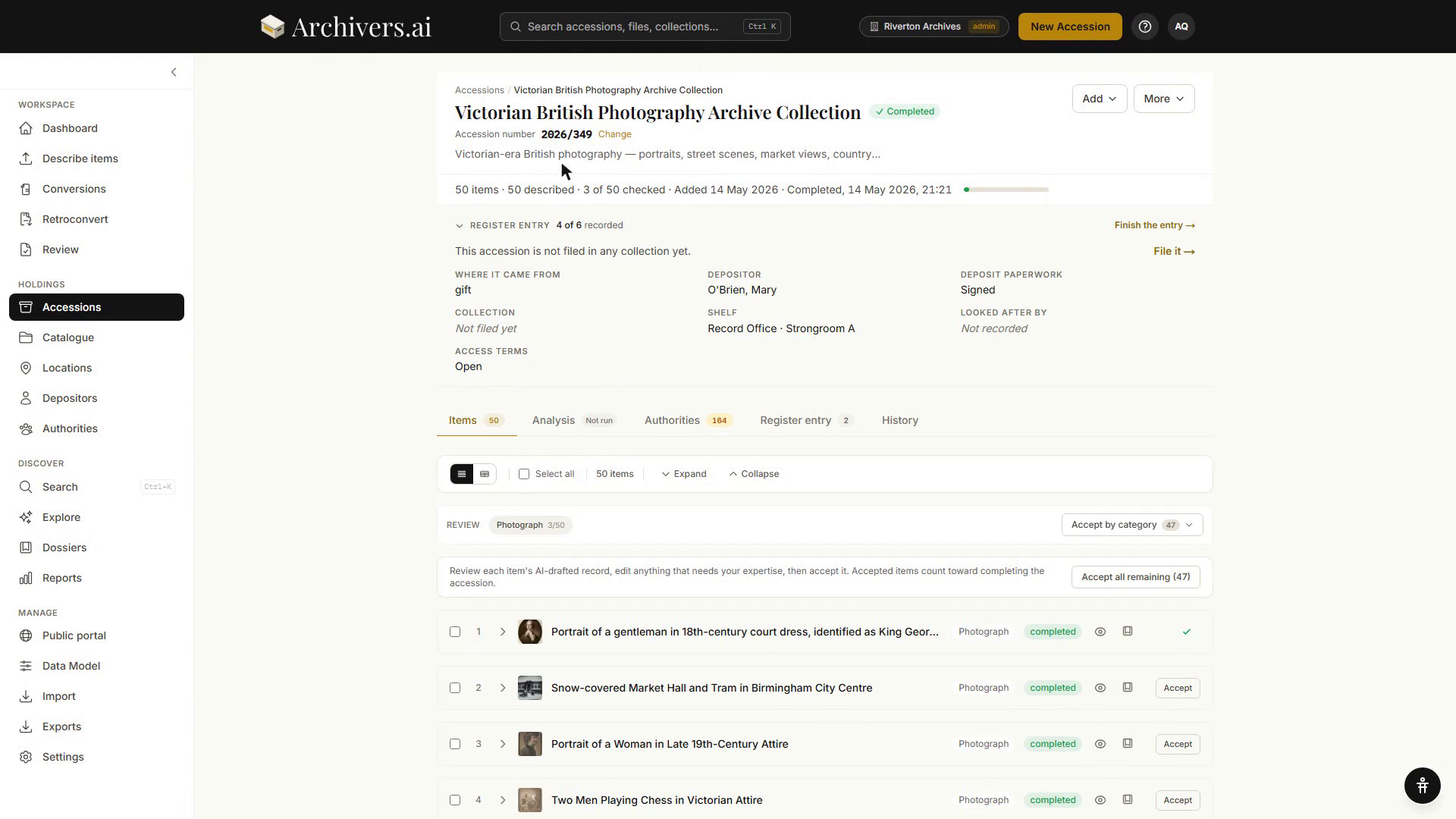
- A name and description — your own words for what's in it
- A collection type — Documents, Photographs, Artefacts & Objects, Audio, Video, or Mixed
- One or more files — the actual material
- A status — Draft (you're still working on it) or Complete (signed off). The register tab words the same three states as Needs attention, In progress and Finished
- A fond assignment — which Fond, Series, or Sub-series it lives under (or Unassigned)
- Per-item metadata — extracted by AI, reviewed by you
- Linked authorities — subject headings, people, places, organisations resolved to authoritative vocabularies
- A collection-level Analysis — an optional AI summary, themes, and proposed arrangement
What's a typical accession size?
There's no hard rule, but a useful heuristic:
| If… | Use one accession for… |
|---|---|
| Material has a single source | The whole donation |
| Material is from one creator over time | One accession per deposit or transfer |
| You're scanning your own holdings | One accession per box, album, or shelf |
| You're testing | Whatever's smallest |
One plan limit constrains the upper bound: Community allows up to 10 items per accession. Every paid plan is unlimited.
What happens after upload
The platform processes each file:
- OCR / vision / transcription — extract the underlying content
- Classification — assign a category and populate the metadata schema for that category
- Authority resolution — link extracted subjects, people, and places to LCSH / FAST / Getty / VIAF / GeoNames
- Optional collection analysis — a top-down summary of the whole batch
You then review, correct anything that's off, and either keep working on the accession or mark it complete.
Next
- Creating an accession — the six-step wizard
- How AI processing works — what each step actually does
- Reviewing classifications — the human-in-the-loop step