Export Formats
Settings → Exports → Formats lists the export formats your organisation can produce. You can toggle individual formats on or off, and customise the mapping between your data model fields and each format's elements. A format switched off here is not offered anywhere in the workspace — but a complete copy of your own material can never be switched off.
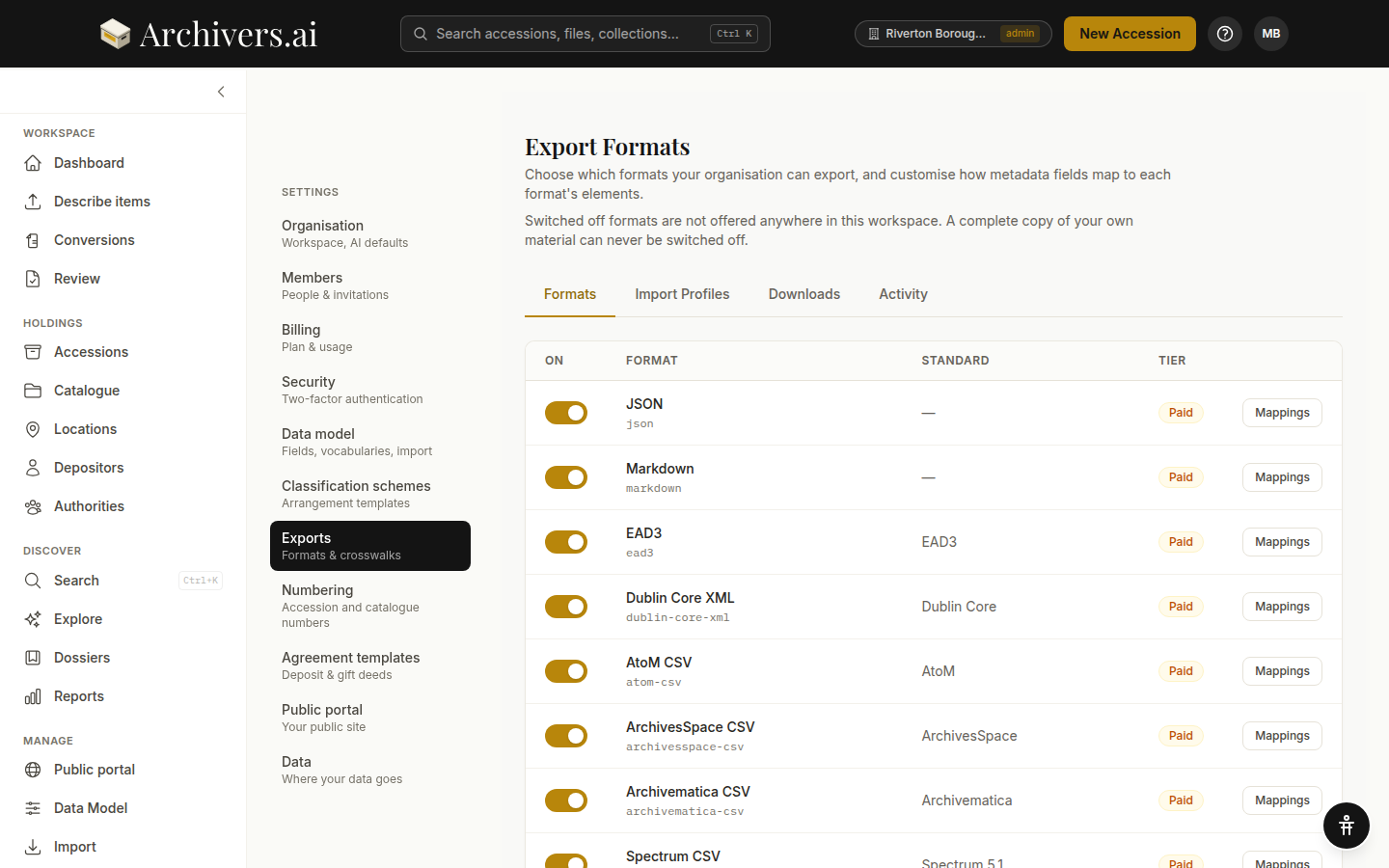
Available formats
| Format | Standard | Tier | Best for |
|---|---|---|---|
| CSV | — | Community+ | Spreadsheet review, simple data extracts |
| — | Community+ | Formatted catalogue, researcher-facing finding aid | |
| JSON | — | Starter+ | Programmatic consumption, custom workflows |
| Markdown | — | Starter+ | Quick human-readable export, GitHub Pages publishing |
| EAD3 | EAD3 | Starter+ | National archival aggregators, archives-to-archives transfer |
| Dublin Core XML | Dublin Core | Starter+ | Libraries, repositories, Europeana |
| MODS XML | MODS | Starter+ | A rich single-object description, offered on an individual item |
| AtoM CSV | AtoM | Starter+ | AtoM (Access to Memory) installations |
| ArchivesSpace CSV | ArchivesSpace | Starter+ | ArchivesSpace import |
| Archivematica CSV | Archivematica | Starter+ | Preservation workflows feeding Archivematica |
| Spectrum CSV | Spectrum 5.1 | Starter+ | UK museum collections management systems |
| CALM CSV | Axiell CALM (tabular) | Starter+ | Flat one-row-per-record sheet for CALM's tabular import, with a former-reference concordance column so old references survive alongside newly minted ones |
| BagIt | BagIt | Starter+ | Digital preservation transfers, OAIS submission |
| Package list | BagIt | Starter+ | Every file in a collection with its details, its fingerprint and a link that opens it |
Alongside these, the collections tree offers the TNA Discovery workbook (.xlsx) — a guided, checked export for Manage Your Collections at The National Archives. It has its own route and its own permission: Reviewers can produce it as well as Admins and Members.
CSV and PDF are available on all plans. Everything else needs Starter or above; on Community those buttons are disabled and say so rather than failing when pressed.
Validation and mandatory fields
Some destinations require certain fields to be present. Check before you send — on the accession export panel, and in the export dialogs — runs the records you've selected against the destination's own rules and names the ones that would arrive incomplete. It describes; it never blocks.
If gaps are found, the check lists which records and fields are missing, with the line "Fix these and check again, or send anyway — the gaps stay blank."
- Fix the gaps first — edit the records in Archivers.ai to fill in the missing data, then check again
- Send anyway — proceed with the export and leave the gaps blank in the file. Downstream systems (like TNA Discovery) may then flag the missing data, or you can fill it in directly in the exported spreadsheet.
Missing fields are blank in the exported file — the system never invents values. Use the "Export anyway" option when you want to export a work-in-progress or when you prefer to complete the spreadsheet offline.
Where to export from
| From | What's exported |
|---|---|
| An accession — the Accession export · transfer manifest panel at the foot of the accession page | What arrived in this accession — the records-management view. PDF Report and BagIt sit at the top; EAD3, AtoM, ArchivesSpace, Archivematica and Spectrum under Catalogue; CSV, JSON, Dublin Core XML and Markdown under Other formats |
| A collection — the collections tree | A multilevel finding aid across the whole fonds, with items at their actual placement, from every accession. You choose the format and how deep to go |
| A dossier — Export button on the dossier detail page | The dossier's items, with analysis if present |
| An item — Export on the item record | Dublin Core XML, MODS XML, or a single CSV row |
| Search results — Select + Export | Just the selected items |
| Settings → Exports → Downloads | A finding aid, or a complete copy of the whole workspace |
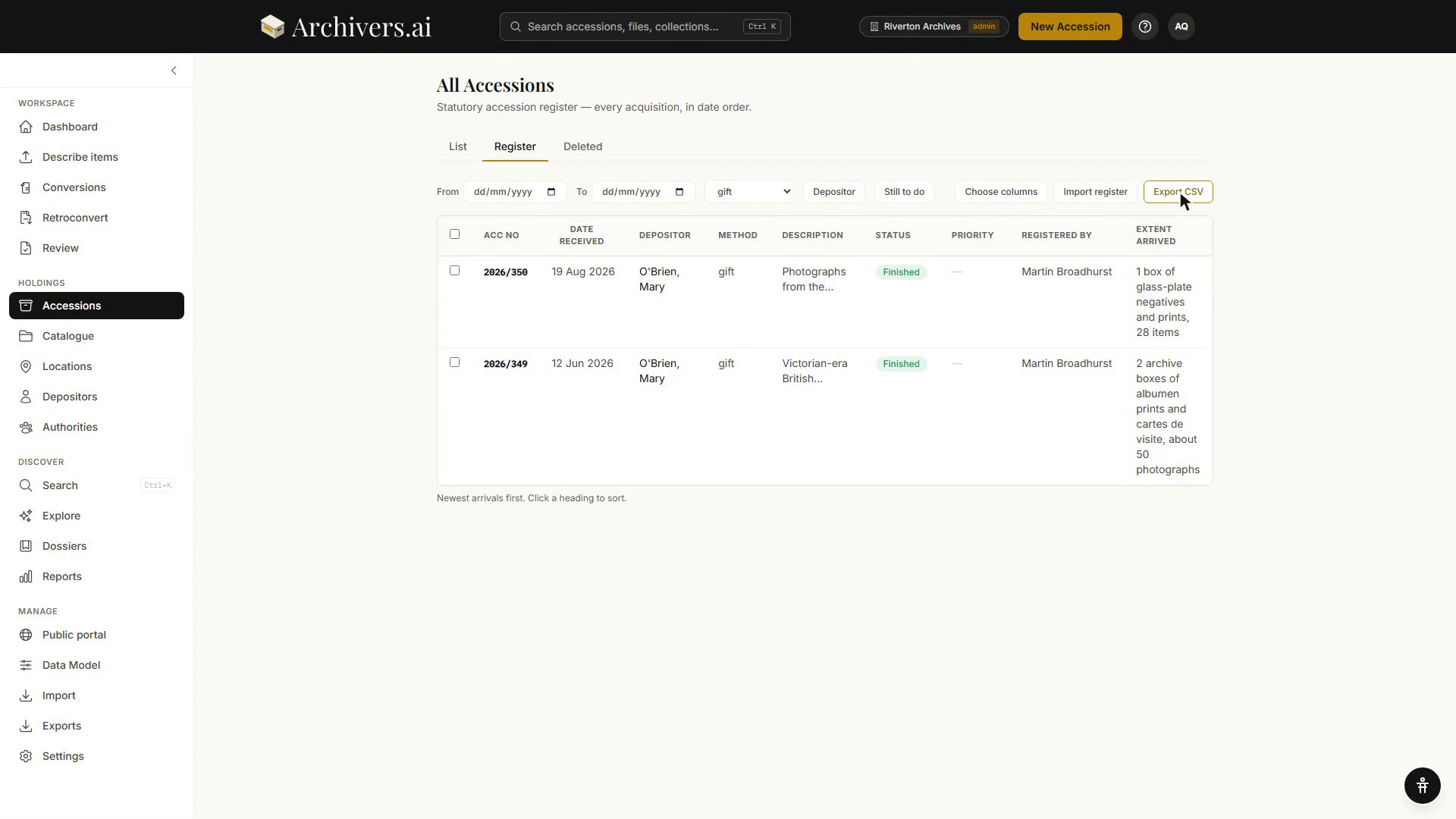
The accession register has its own Export CSV button above the table, next to Choose columns and Import register.
Small exports download straight away. The large ones — a finding aid, or a complete copy of the workspace — are made in the background and appear on Settings → Exports → Downloads when ready, with the download link also emailed to you. Links last seven days. If an export contains personal data that has since been erased at source, use Remove to delete it before that expiry.
A complete copy takes everything out of the platform in a re-importable form — all records, all levels, all files, all authorities. It's admin-only, and it's the one export that can never be switched off.
Mappings — customising the field map
Every format ships with a default mapping from your Data Model fields to the format's elements. Admins can override these per-organisation.
- Settings → Exports → Formats.
- Click Mappings next to a format. A drawer opens listing every mapping as a pair: your field key on one side, the format's target element (and namespace) on the other.
- Edit a row, or add one, setting the field key, the target element, an optional namespace, and a render hint for fields that can hold more than one value —
repeat,join_pipe,join_semicolon_nospaceorfirst_only. - Save. Rows you've changed are marked as your organisation's overrides, and Reset to defaults puts the whole format back the way it shipped.
The mapping applies to every subsequent export in that format.
Round-tripping
Records exported from Archivers.ai can be brought back in through the import wizard, and the complete copy is designed for exactly that — it is a re-importable copy of everything.
Import Profiles, on its own tab in Settings → Exports, lets an admin name and keep a profile against a format — useful when you repeatedly import the same shape of spreadsheet. A profile has a name and a format; the header mappings behind it aren't editable from this screen yet.
PDF, Markdown, the package list and CALM CSV are export-only — they're presentation or one-way handoff formats, not ingestion formats. For bringing data in from a CALM system, use the import wizard — it recognises common CALM-ish column names (reference, old reference, depositor, accession number, and similar), but this is header auto-detection, not a validated canonical CALM field mapping. Check every mapped column before applying an import from CALM.
Toggle formats on or off
Not every organisation needs every format. The On toggle next to each format in Settings → Exports controls whether it is offered anywhere in the workspace. Turning a format off doesn't delete past exports; it just removes it from the pickers. A complete copy of your own material is never affected.
Who exported what
Settings → Exports → Activity (admins only) shows everything that has happened in the workspace, including every export taken — who took it, and when. Entries by people who have since left are kept.
What's next?
- What each format is for — choosing the right format for your destination
- Importing a structure — importing existing data via the same Import Profiles tab
- OAI-PMH and IIIF for aggregators — standards-based machine access, separate from these download exports