Your Profile
The Profile page (sidebar → Profile) is where you manage your own account: the email you sign in with, your display name, your password and your notifications. Two-factor authentication lives on the Security page, and the AI defaults are an organisation setting — see AI & Defaults.
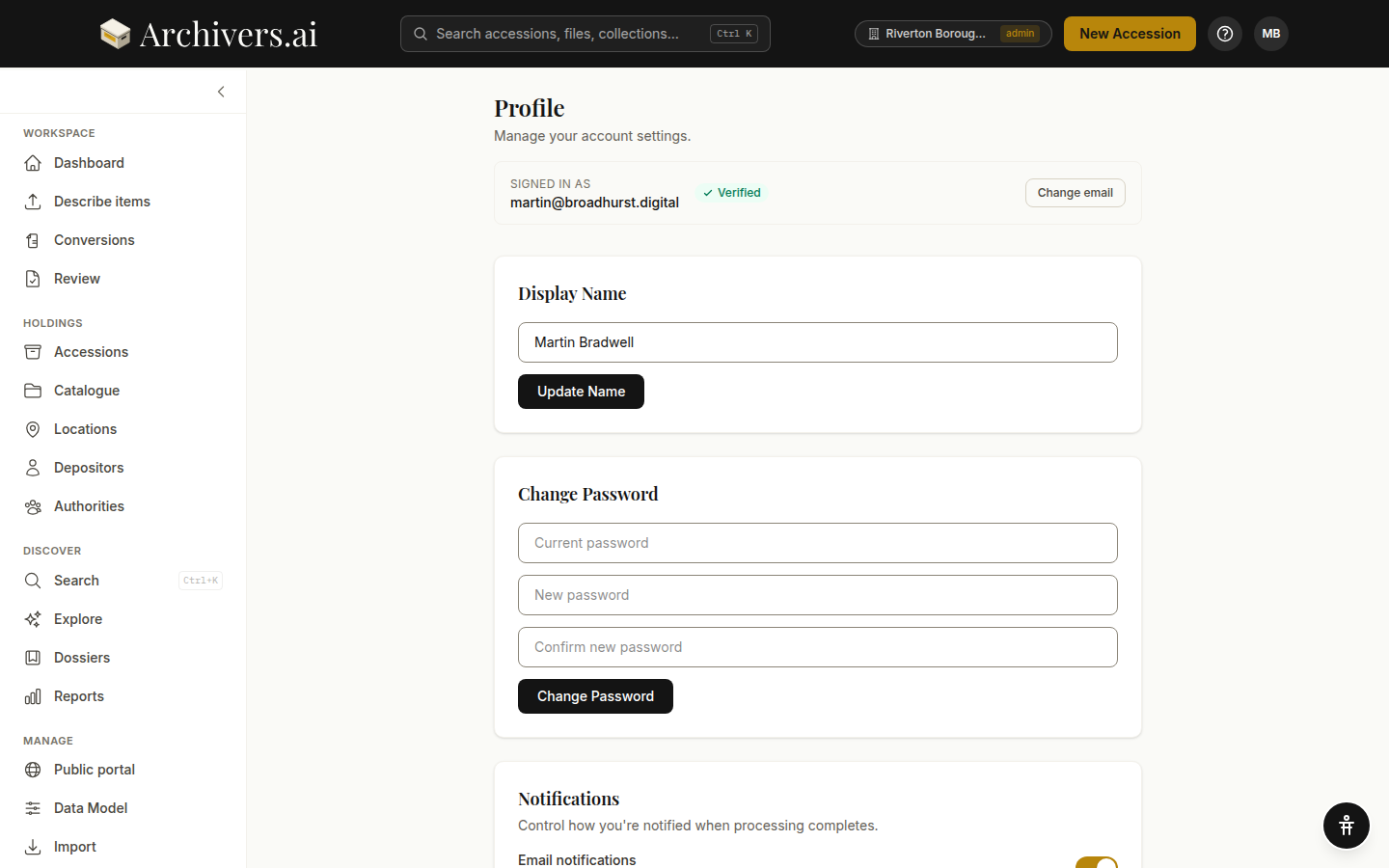
Signed in as
The top of the page shows the email on your account and whether it is Verified or Unverified.
Change email opens a short form: your current password and the new address. We send a confirmation link to the new address, and the email only changes once you click it.
Display Name
The name shown in your archive and to colleagues in your organisation. Click Update Name after editing.
Change Password
Current password, new password, confirm. A strength meter checks the new one as you type: it must be at least 8 characters and contain an uppercase letter, a lowercase letter and a number. A weaker password is refused with "Password too weak. Use uppercase, lowercase, and a number." A special character strengthens it further but isn't required. Password managers are supported (and recommended).
Notifications
Controls how you're notified when processing finishes.
Session
Sign Out ends your session on this device. To end everybody else's — a lost phone, a shared computer — use Sign out of other devices on the Security page.
Account deletion
Account deletion is currently handled by support — email support@archivers.ai from the address on the account.
We permanently delete:
- All your accessions, files, OCR text, transcripts, metadata, authority links
- All your dossiers, sessions, analysis history
- Billing history (we retain invoices for legal compliance)
There is no undo. We recommend exporting your archive to BagIt before requesting deletion.
See also
- Security settings — two-factor authentication and signed-in devices
- Usage & plan
- AI & Defaults — the organisation-wide AI settings