Welcome to Archivers.ai Help Centre
Archivers.ai is an AI-powered archive description platform for archivists, museums, and community heritage organisations. Upload your files, and the platform will read, transcribe, classify, and describe them against archival standards — then export the result into any catalogue system you use.
This Help Centre covers everything you need to use Archivers.ai confidently. If something isn't here, the in-app feedback button gets a faster reply than email.
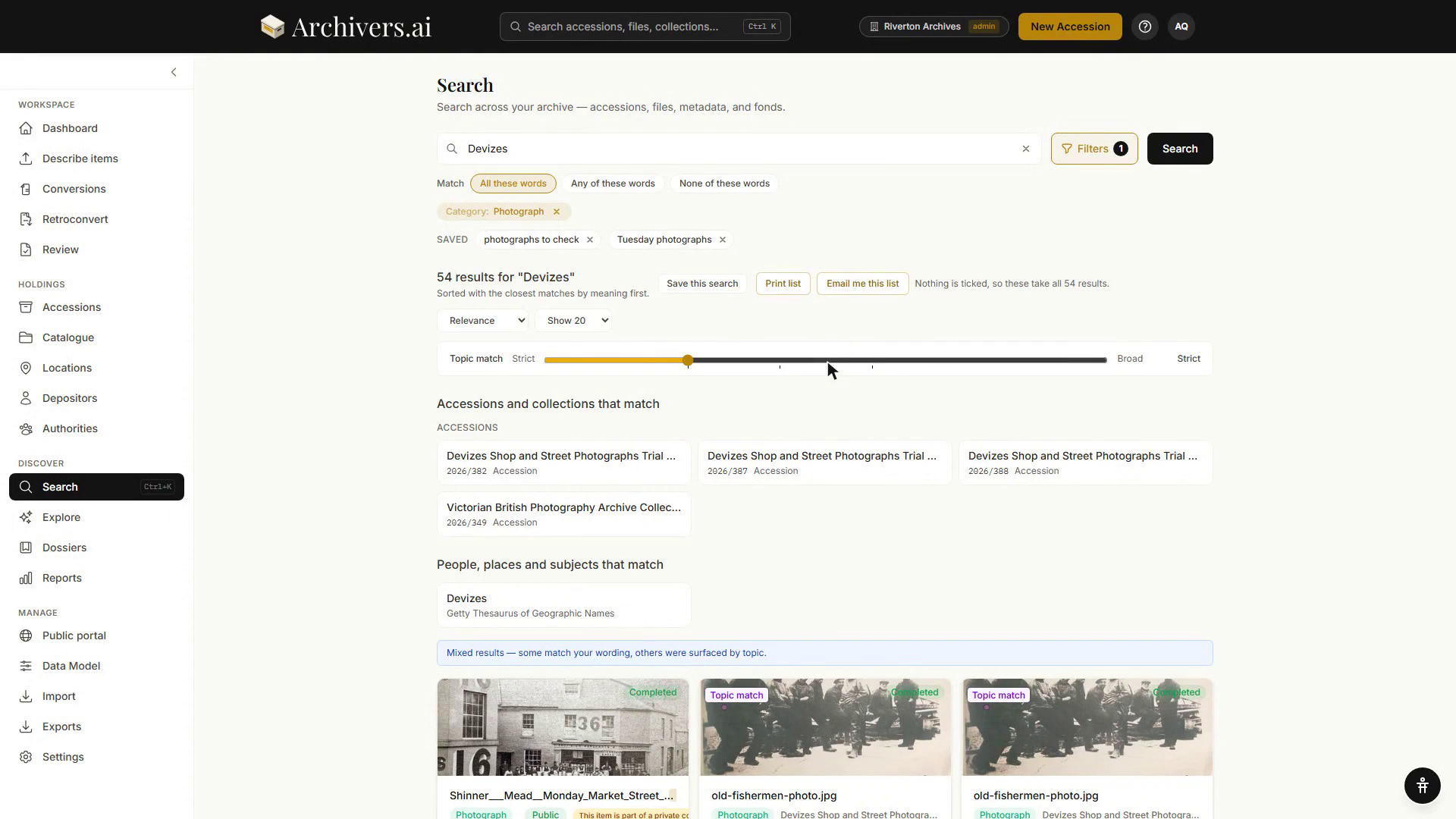
What Archivers.ai does for you
- Reads everything. OCR for documents and images, transcription for audio and video, vision models for objects and photographs.
- Classifies into archival categories — documents, photographs, artefacts, audio, video — with editable, per-category metadata schemas you control.
- Links to real authorities — Library of Congress (LCSH), FAST, Getty AAT/TGN, VIAF, GeoNames, Wikidata. Subjects, people, places, and organisations become resolvable URIs, not just strings.
- Structures into Fonds, Series, and Dossiers following ISAD(G) and DACS principles.
- Searches across the whole archive — full-text, faceted, and authority-aware.
- Answers research questions about your archive through the Research & Explore workspace.
- Exports into the catalogue system you actually use — EAD3, Dublin Core, AtoM, ArchivesSpace, Archivematica, Spectrum 5.1, BagIt, PREMIS, CSV/JSON/Markdown.
Where to start
| If you're new… | Read this |
|---|---|
| First time logging in | Dashboard tour |
| You have files ready to go | Your first accession |
| Unfamiliar with archival terms | Key concepts |
| Trying to pick a plan | Usage & plan |
Plans at a glance
| Plan | Monthly credits | Storage | Audio & video | Fonds & dossiers | Price |
|---|---|---|---|---|---|
| Community (Free) | 30 | 2 GB | Audio only, no transcription | — | Free |
| Starter | 500 | 100 GB | ✓ | ✓ (3 seats) | £40 / mo |
| Professional | 2,000 | 500 GB | ✓ | ✓ + collection analysis (10 seats) | £150 / mo |
| Institution | 6,000 | 2 TB | ✓ | ✓ (25 seats) | £400 / mo |
Larger consortium and custom arrangements are sales-led — contact us.
Annual billing saves 20%. See Usage & plan for the full breakdown.
Still need help?
Most questions are answered in these pages — try the search bar at the top, or browse by category in the sidebar. If you're stuck, open the app and use the in-app feedback button: it routes straight to the team and includes context about the screen you were on.