What Is Research & Explore?
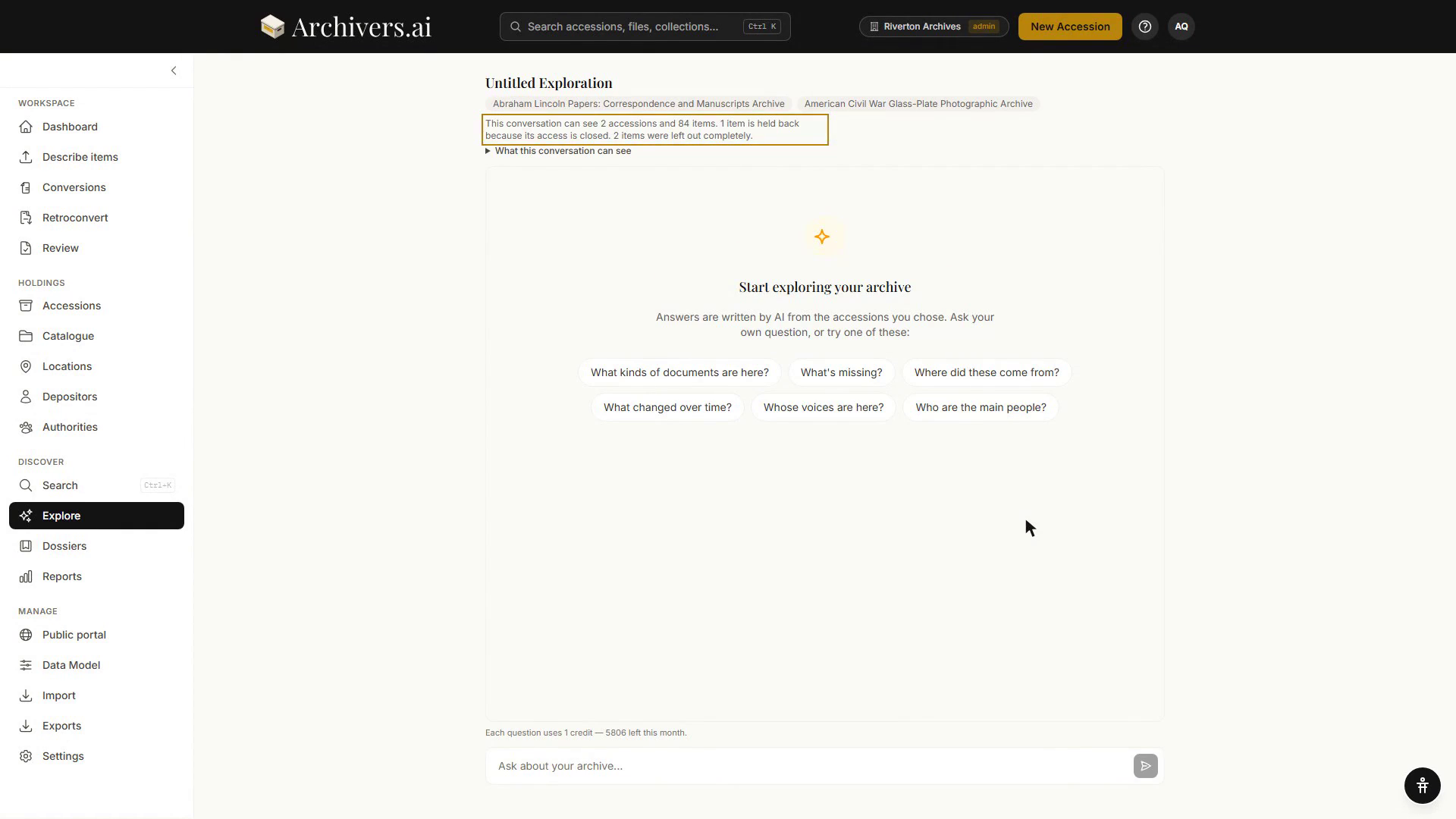
Research & Explore is a conversational interface to your archive. You pick a scope (one accession, several, a dossier, or your whole archive), ask questions in plain language, and get cited answers grounded in your material.
Available on Starter and above.
How it differs from Search
| Search | Explore | |
|---|---|---|
| Best for | Finding items | Finding answers |
| Input | Keywords, filters | Questions in natural language |
| Output | Result cards with metadata | A composed answer with citations and passages |
| Strengths | Exact matches, faceted browsing | Synthesis across many items, follow-ups, verbatim evidence |
| Limitations | Doesn't compose | Slower; can sometimes mis-cite |
Search and Explore complement each other. A typical flow: search to find candidate items, then start an Explore session on those items to ask follow-up questions.
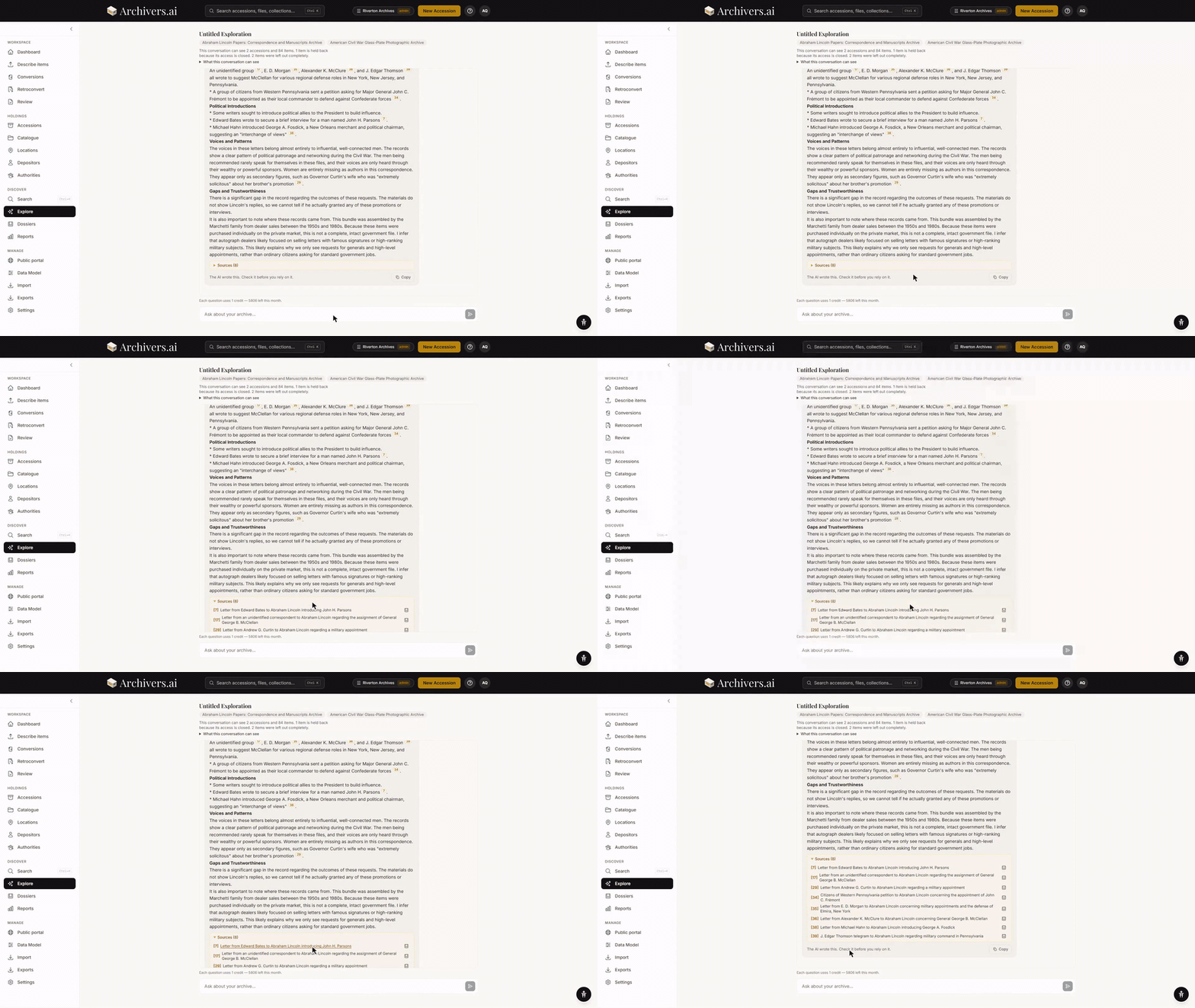
Each answer in Explore grounds itself in specific passages from your material — marked excerpts with locators (page numbers for documents, timestamps for audio and video). This means you can see exactly where the answer comes from and jump straight to the source.
What Explore can do
- Answer questions that span several items — "What does the correspondence say about the 1956 dispute?"
- Build timelines from heterogeneous sources — "List every meeting where the Smith case was raised, in chronological order."
- Surface entities — "Who else is named alongside Mary Thornton in these letters?"
- Find gaps — "Are there years between 1880 and 1920 where I have no material from this family?"
- Compose narrative — "Summarise the development of housing policy in this fond"
Each answer cites the items it drew from; you can click through to see the source material.
What Explore can't do
- Answer questions about anything outside your archive. It knows what you've uploaded; it doesn't know the rest of history.
- Read un-OCR'd material. If a document hasn't been transcribed, its content is invisible to the model.
- Be 100% accurate. The model can mis-cite, miss nuance, or over-generalise. Treat answers as research leads, not final claims.
Languages and access
Questions in any language. Ask in English, Welsh, French, German, or any other language in which you'd normally research. Explore will answer in the same language the question was asked.
Workspace-wide control. A workspace admin can switch Explore and dossier analysis off for the whole workspace under Settings → Organisation. With it off, the Explore page says so and offers nothing to run. Explore is also for archivists and admins — reviewers and volunteers are told as much rather than shown a locked screen.
Plan limits
| Plan | Sessions / month | Messages / session | Accessions / session |
|---|---|---|---|
| Community | 0 (not available) | — | — |
| Starter | 20 | 50 | 500 |
| Professional | 50 | 100 | 500 |
| Institution | Unlimited | 200 | 500 |
Each conversation is one session. Each message you send counts toward the per-session message cap. Starting a conversation is free; each question you ask uses 1 credit.
What's next?
- Starting a session — the new-exploration flow
- Asking good questions — how to phrase questions to get useful answers