Starting an Explore Session
The end-to-end walkthrough for opening a new research conversation over your archive.
From the Explore page
- Explore in the sidebar.
- Click New Exploration in the top right.
The new-exploration wizard has two steps.
Step 1 — Select accessions
Pick the accessions that should be in scope for this session.
- Use the Search accessions… input to filter the list.
- Tick the accessions you want.
- The right column shows file counts and draft/complete status for each.
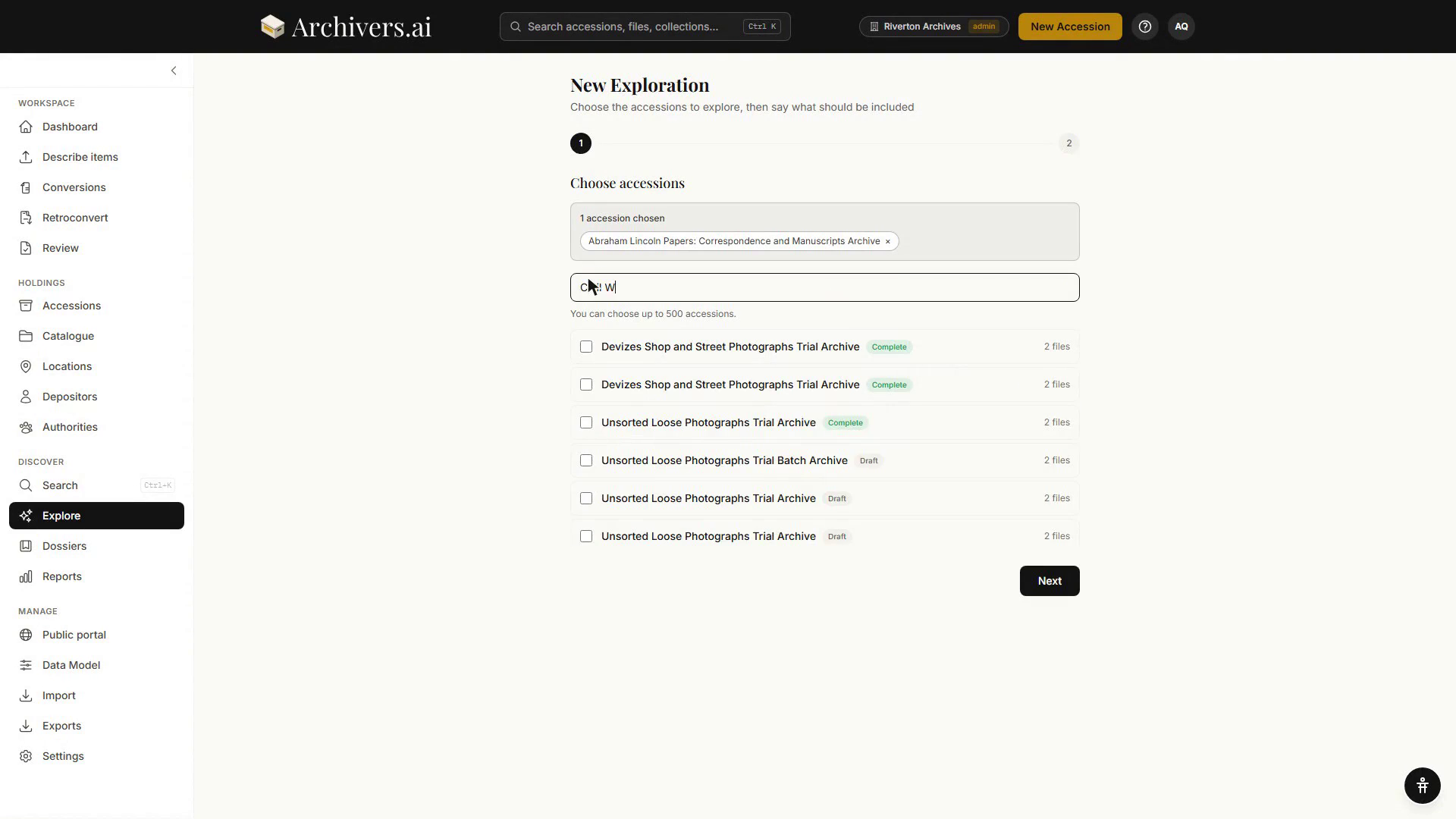
You can include both Draft and Complete accessions. Drafts may have less-polished metadata; the model will work with whatever's processed.
When you're done selecting, click Next.
Step 2 — What to Include
Say what the session should read, and give it some framing.
- What to Include — Metadata only (titles, dates, creators, descriptions and subjects) or Metadata + Transcripts (all metadata plus full text transcriptions).
- What are you looking into? (optional) — a sentence about what you're trying to find out. Example: "I'm investigating the relationship between the Council's Housing Committee and the local building firms operating in Derby between 1960 and 1985. Particularly interested in any conflicts of interest or unusual procurement patterns."
The panel also tells you what a session costs — each question uses one credit, and it shows how many you have left this month.
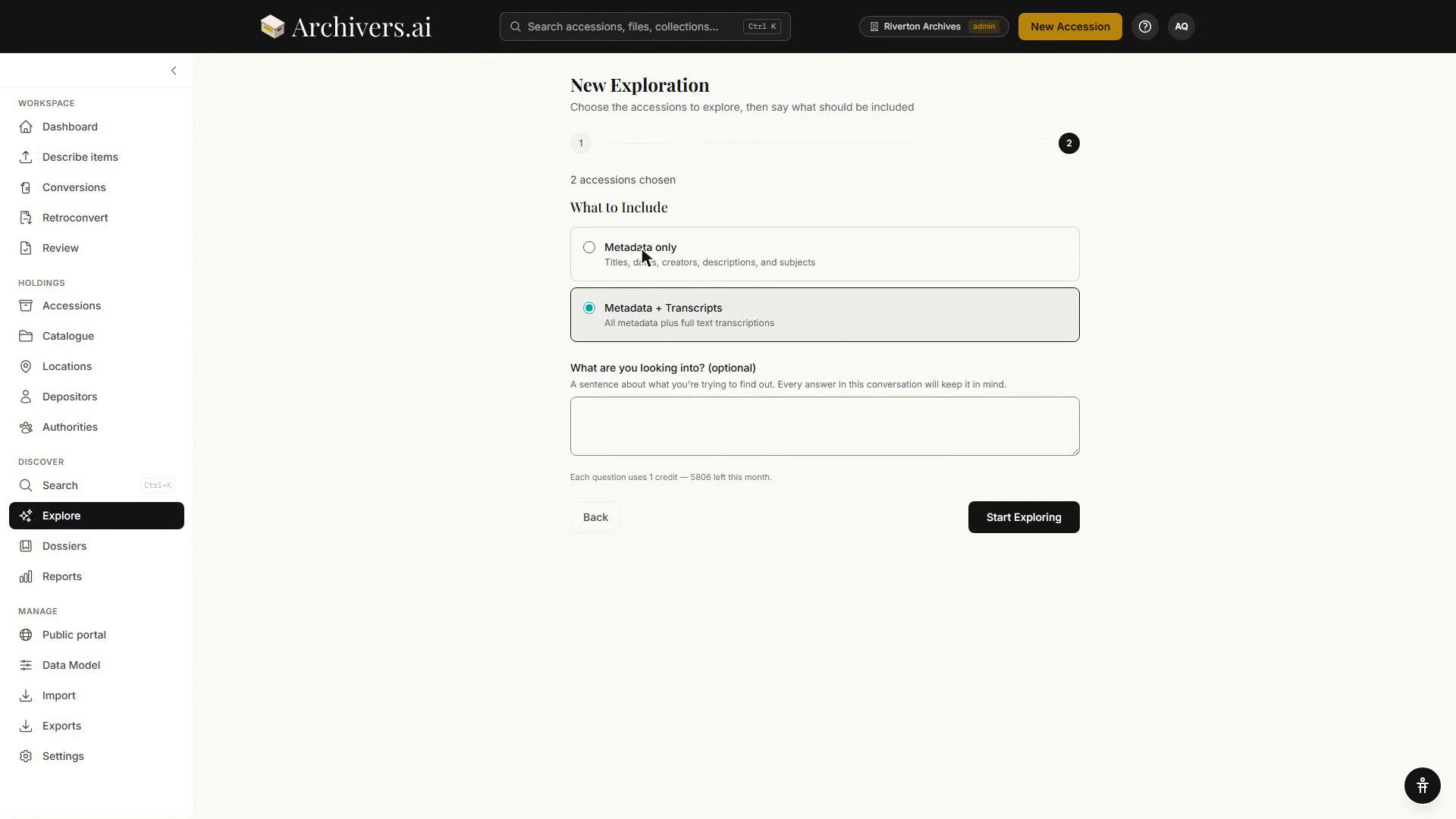
The context is persisted with the session — it carries through every follow-up question without you having to repeat it.
Click Start Exploring.
From other places
You can also start a session from:
- Inside an accession — Explore on the accession's Items tab opens a new exploration scoped to that accession. Tick some items first and the button becomes Explore N items, scoping the conversation to just those. Explore also sits in the accession's More menu.
- A dossier — Explore on the dossier detail page opens a conversation over the dossier's items straight away, without the two-step wizard.
One conversation can cover up to 500 accessions; ask for more and you're told to choose fewer or start a second conversation.
In a live session
The session interface is a familiar chat surface:
- Type your question in the input at the bottom; Enter to send (Shift+Enter for a new line).
- The answer streams in. Citations link to the source item, and a Sources list under each answer names the records it drew on.
- Copy on any answer puts the answer and its sources on the clipboard. If a record it cites has been closed since, the button is replaced by a sentence saying so and an Ask again link.
- If a question never got an answer, it is marked Not answered with a Try again beside it.
- Follow up — your next question carries the conversation context.
An empty conversation offers starter questions, above the line "Answers are written by AI from the accessions you chose."
The top of the session shows:
- Title (auto-generated; rename it from the session's card on the Explore page)
- Scope — a chip per accession, and "Looking into: …" when you gave the session a focus
- What this conversation can see — how many accessions and items were reached, how many were shortened to fit, left out, or held back because they are closed
Scope is fixed when the conversation starts: everything already answered was answered from it.
Saving and revisiting
Every session is saved automatically. Find them on the Explore page, sorted Newest by default — the sort dropdown also offers Oldest, Title A-Z and Most messages, and there's a filter for the accession a conversation covers.
Search your conversations searches the questions and answers as well as the title; when a match is in the body, the card says "Found in the conversation: …" beneath it.
Sessions can be filed in folders, shown as pills above the list (All, your folder names, Unfiled). Each card's menu offers Rename, Move to folder and Delete. Select turns on tick boxes for Move to Folder and Delete in bulk.
Deleting a conversation is permanent; the underlying items are unaffected.
Quota management
- Each new session counts as 1 session against your monthly research budget.
- Continuing an old session doesn't count again — just the messages within it count toward the per-session message cap.
- Starting a conversation is free; each question uses 1 credit. The line under the question box says what's left this month.
- The question box is never disabled: if you're out, the refusal is a sentence with the link that would fix it.
What's next?
- Asking good questions — phrasing for better answers