Reading Your Analysis Results
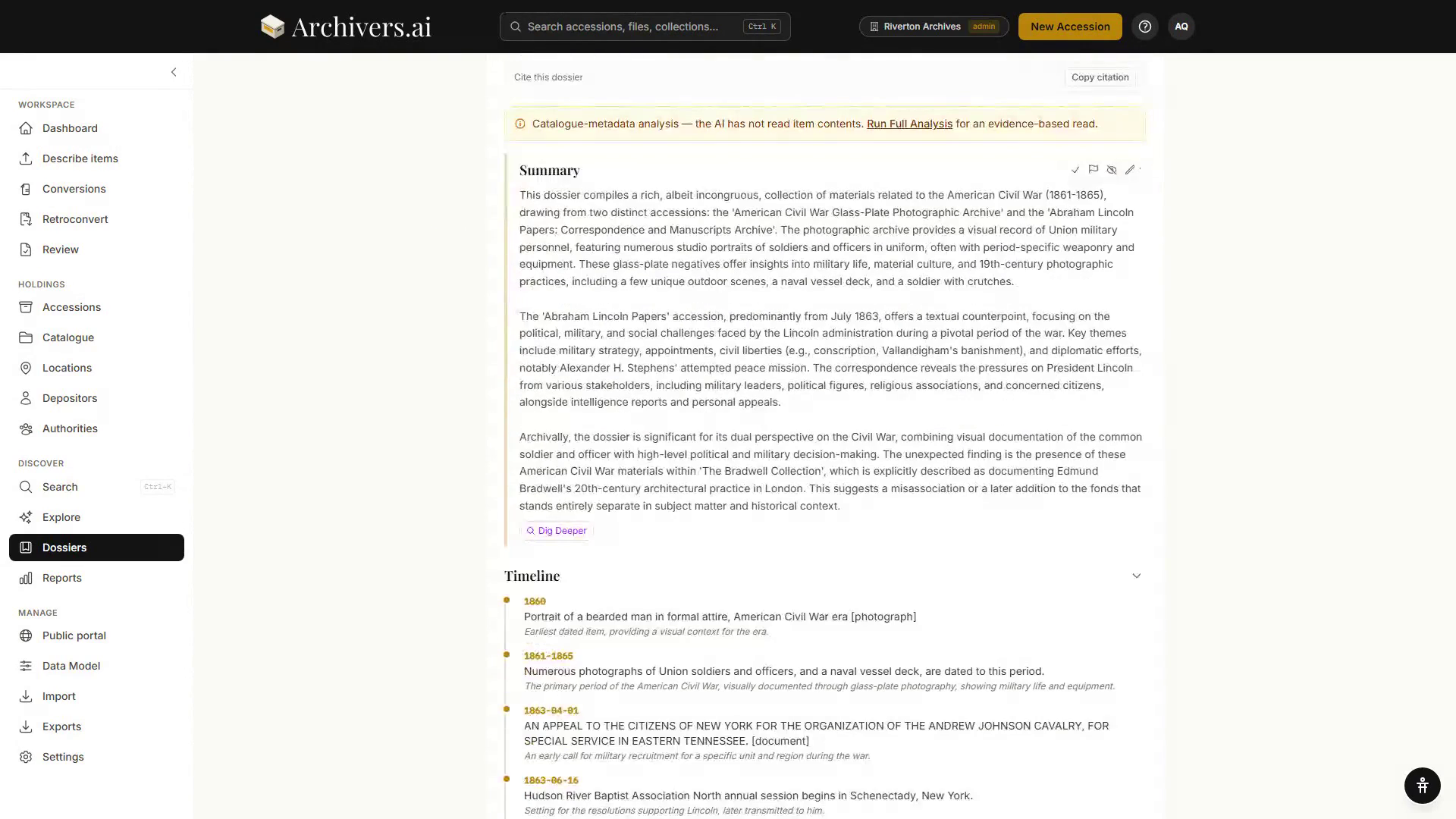
When Quick or Full Analysis finishes, the output appears on the dossier's AI Analysis panel as a run of blocks. Full Analysis produces up to nine distinct block types. Quick Analysis produces a subset of the same blocks — typically Narrative, top themes, and one or two highlight quotes.
Most blocks are collapsed to their heading; click the chevron to open one.
The block types
1. Narrative
An essay-style summary of what the dossier contains. Reads like the introduction of an archivist's report. Length varies with dossier size — typically 500–1,500 words for Full, 200–400 for Quick.
2. Timeline
Chronological events extracted from the dossier with item citations. Each event has a date, a one-line summary, and a "see also" list of items where it appears.
3. Quote
Verbatim passages from the underlying material — letters, transcripts, captions — that capture key moments. Quotes are always cited back to the source item.
Each quote carries its speaker and date where they are known, and a link to the item it came from.
4. Entity Card
Profile-style cards for the most prominent people, organisations, and places in the dossier. Each card carries the name, the kind of entity, how many mentions it has, its role, a short note on why it matters, and links to the items it appears in.
5. Connection
Relationships between entities that emerge from the material — "A worked with B at C from 1956 to 1962". Each connection links the entities involved and cites the supporting evidence.
6. Finding
A discrete, surprising claim the analysis can support from the underlying material. Findings carry a confidence badge and the items that ground the claim. These are the bits worth quoting in your own work.
7. Comparison
Where the dossier contains contrasting positions or events — "the 1962 minutes describe X positively; the 1965 minutes describe it as a failure". Useful for thematic essays.
8. Gap
What's missing — runs of years where the record is silent, expected items that aren't present, named people who appear once and never again. Useful for collection development and for being honest about the limits of an enquiry.
9. Research Question
Open questions the dossier raises but doesn't answer. Phrased as researchable prompts — "What is the relationship between X's tenure and the disposal of the Y collection?"
Reviewing the blocks
Hover a block and a small control bar appears in its corner:
- Mark reviewed — a tick you can clear again
- Flag for follow-up — with an optional note saying why
- Hide block — takes it out of the reading
- Edit narrative — on narrative blocks only, to reword the text yourself
Your marks and rewordings survive a re-run's Put back the previous analysis.
What the AI read, above the blocks, expands into the list of items behind the analysis, each marked with how much of it was read — in full, as passages, or truncated to a percentage.
Cite this dossier sits above the blocks too, with Copy citation.
Interrogating further
- Ask a follow-up question about this analysis — the box under the blocks. Answers appear as Follow-up Analyses, each collapsible and deletable. 1 credit a question.
- Dig deeper on a section asks a follow-up question about that section. 1 credit.
- Explore in the dossier header opens a conversation over the dossier's items.
Exporting the analysis
Export ▾ in the dossier header offers:
- PDF research pack — formatted for distribution
- Markdown — for further publication workflows
- EAD3 finding aid — XML
- CSV
A tick at the top of the menu includes the follow-up questions and answers in whatever you export.
Citations and provenance
Every claim in the analysis is cited back to source items. Click any citation to jump to the item; hover for a preview. This is non-negotiable in the platform — there's no claim in an analysis that isn't traceable back to material you uploaded.
A citation the analysis could not match to an item in the dossier is marked on the block, so an unverifiable reference doesn't read like a checked one. If you spot a claim that doesn't fit its evidence, flag the block with a note.
What the analysis is good at, and not
Good at:
- Summarising what's in a body of material
- Spotting themes and recurring entities
- Producing a timeline from heterogeneous dates
- Finding gaps and silences
Less good at:
- Causal claims ("X happened because Y")
- Statements about the wider historical period (it knows your dossier, not the world)
- Long-form prose that reads exactly like your own — set a writing style under Settings → Organisation, but plan to edit the final output for tone