Creating a Dossier
Three ways to create a dossier. Pick whichever fits the workflow you're already in.
From the Dossiers page
The simplest path.
- Dossiers in the sidebar.
- Click Create Dossier in the top right. The dialogue has two steps.
- Step 1 — a Title, and a Research focus: what should the AI investigate? This guides analysis, follow-ups and item suggestions.
- Either Create empty, or Next: Suggest items →.
- Step 2 — the suggestions, each with a relevance mark, its kind (file, accession or collection) and a line on why it was suggested. Tick the ones you want and create the dossier with them in it.
Use + Add Items on the dossier detail page to fill or extend it.
From Search results
The most common path — you've found items via search, you want them in a dossier.
- Run your search and apply filters.
- Tick the checkbox on a result card; the rest of the cards keep theirs.
- Tick more, or Select all N results.
- In the strip beside the result count, click Add to Dossier.
- Pick an existing dossier, or click Create a new dossier to start one with your selection as its contents.
See Selecting and adding.
From an accession
Useful when an entire accession is relevant to a project.
- Open the accession.
- Select items on the Items tab and use Add to Dossier.
- Add to Dossier also sits in the accession's More menu, for the whole accession.
Adding items later
On the dossier detail page:
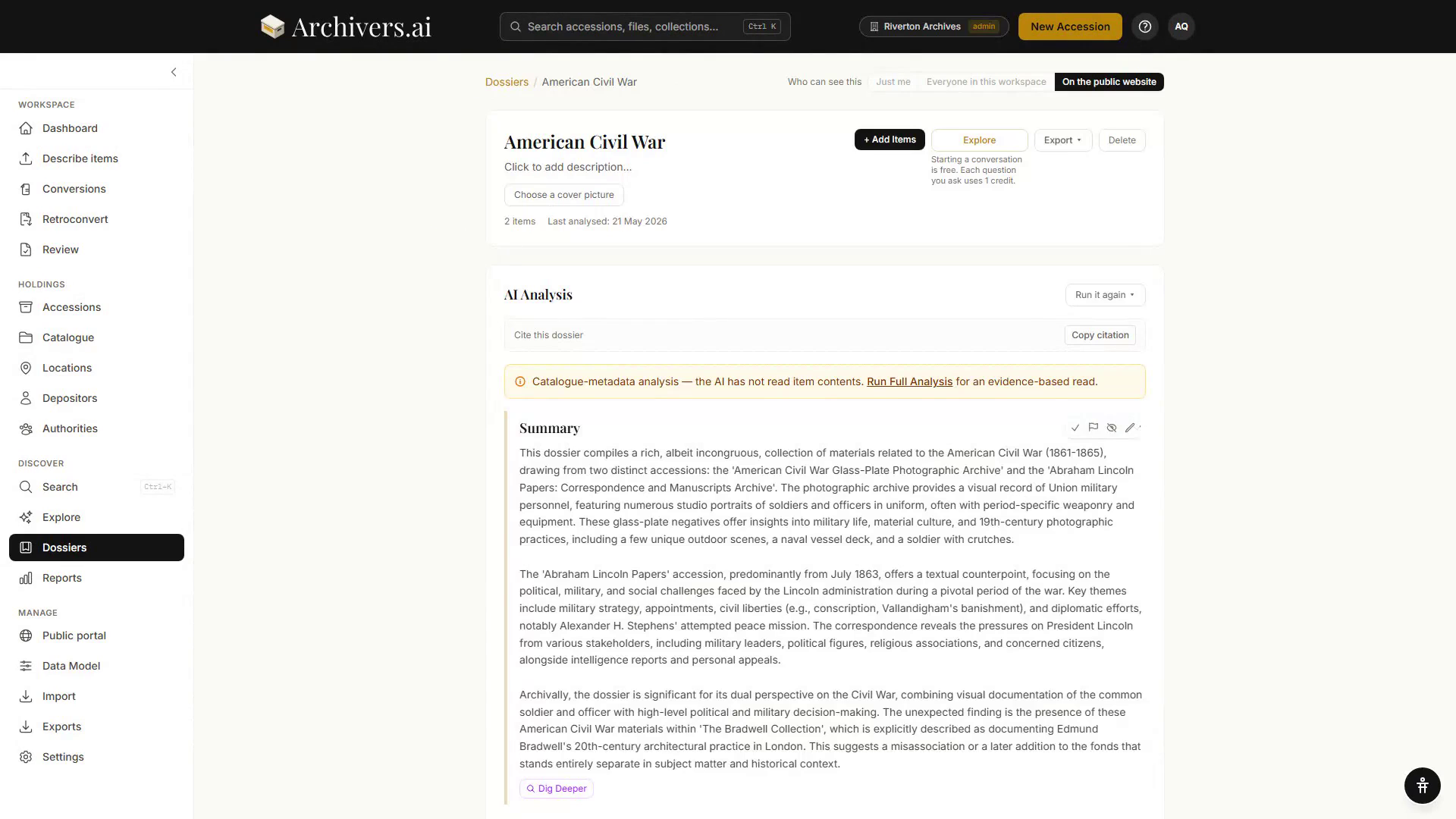
- + Add Items (top right) — opens a picker with a search over files, accessions and fonds; tick what you want and confirm.
- + Find more like this (beside the Items heading) — suggests further items from the archive on the dossier's own research focus.
- Items can be removed with the × icon on each item row, or ticked and removed together.
There's no AI involved in choosing which items are in a dossier — it's a human decision. Archivers.ai only helps you find candidates faster.
Editing the dossier itself
- Click the title to rename
- Click the description ("Click to add description…") to add or edit description
- Choose a cover picture under the description, from the dossier's own images
- Export ▾ in the top right — PDF research pack, Markdown, EAD3 finding aid or CSV, with a tick for Include follow-up questions and answers. The menu also lists the exports already taken from this dossier, and by whom.
- Delete in the top right — a confirmation dialogue appears before removing the dossier (items themselves are not affected). A deleted dossier can be recovered from the Deleted tab on the Dossiers page.
- History at the foot of the page lists everything recorded about the dossier, newest first.
Sharing a dossier
Sharing is a per-dossier setting, not a plan one. Who can see this, at the top right of the dossier page, offers Just me, Everyone in this workspace and On the public website — see What is a dossier?.
What's next?
- Run Quick Analysis — a fast AI summary of what's in the dossier
- Run Full Analysis (Professional and Institution) for a comprehensive narrative, timeline, themes, gaps, and research questions
- Explore the dossier — start a conversation scoped to its contents
- Export the dossier as a PDF research pack, Markdown, EAD3 or CSV