Quick Analysis vs. Full Analysis
A dossier has an AI Analysis panel on its detail page. On a dossier with items and no analysis yet, it offers two buttons — Quick Analysis and Full Analysis — each with its price beneath it. Once there is an analysis, both live under Run it again ▾. The two read different things, cost different amounts, and have different plan availability.
The panel disappears entirely if a workspace admin has switched analysis off; the dossier itself stays.
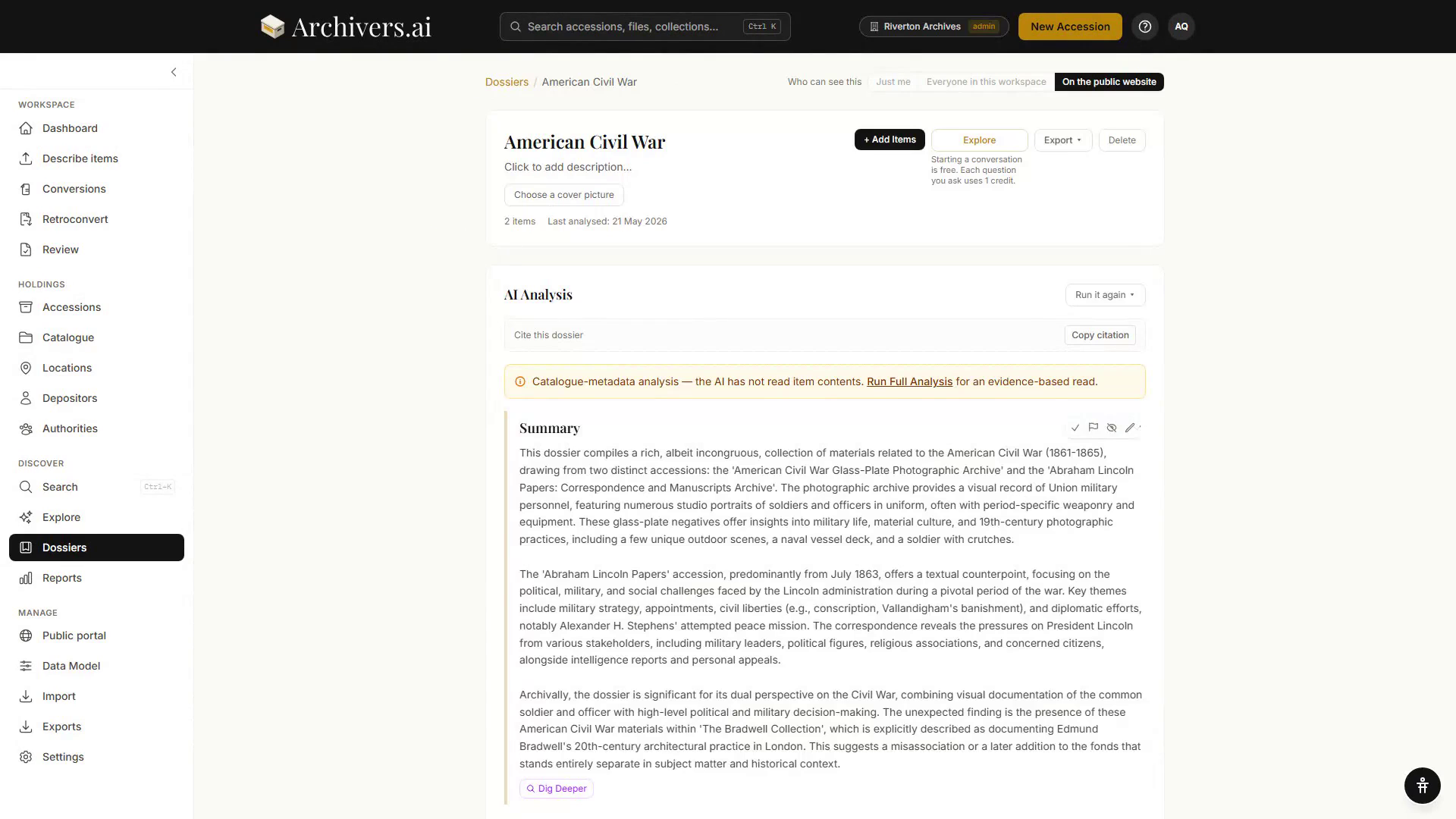
Quick Analysis
A fast, overview-level summary. Treats the dossier holistically and produces an essay-style narrative.
| Reads | Catalogue metadata only — not the contents of items |
| Best for | First-pass orientation when you don't know what's in the dossier yet |
| What it produces | Narrative summary, top themes, headline figures (date range, item count, dominant categories) |
| Plans | All plans with dossiers (Starter and above) |
A quick analysis always carries a banner saying "Catalogue-metadata analysis — the AI has not read item contents", with Run Full Analysis in it.
Re-run as often as you want; costs 1 credit per run.
Full Analysis
A comprehensive, multi-section research-grade output. Treats the dossier as a research subject and produces nine distinct block types.
| Reads | The items themselves, in full or in passages |
| Best for | Dossiers where you need depth, or material you'll publish from |
| What it produces | Narrative + Timeline + Quotes + Entity Cards + Connections + Findings + Comparisons + Gaps + Research Questions (see Reading your results) |
| Plans | Professional and Institution |
On a plan without it, the Full Analysis button is there but disabled, and says why.
The survey checkpoint
Full Analysis runs in two stages, and stops between them so you decide what gets read.
- Surveying dossier contents… — a first pass over the dossier.
- Survey Complete — counts of themes, key items, connections and entities, a summary, and a list of key items for deep reading, each with a reason. Tick the ones to read in full; Add other items opens the rest of the dossier.
- Proceed with Deep Analysis reads the ticked items in full. The line beside it says what that costs.
- Or Use Overview Only — nothing is read in full, the survey is thrown away and a fresh overview is written for 1 credit.
While it runs the panel says which stage it is on. If a run stalls, a Reset analysis control appears.
Decision matrix
| If… | Use… |
|---|---|
| You just made the dossier and want to know what's in it | Quick |
| You're producing a research report for publication | Full |
| The dossier is under 20 items | Quick |
| The dossier contains hundreds of items | Full |
| You want a "second opinion" on a hypothesis | Quick (1 credit, repeatable) |
| You're on Starter | Quick (Full is Professional and above) |
Re-running
With an analysis on the page, Run it again ▾ offers Re-run Quick Analysis and Re-run Full Analysis, each with its price under it. A re-run replaces what is there, and it asks first.
One step back is kept. After a re-run the panel says "An earlier analysis was replaced by this one" and offers Put back the previous analysis — which restores the whole earlier analysis, including anything you had marked reviewed or reworded in it.
The dossier's History panel, further down the page, records everything that has happened to the dossier — it is an activity log, not a library of past analyses.
Costs and credit consumption
- Quick Analysis costs 1 credit per run (drawn from your monthly allowance or purchased packs).
- Full Analysis costs 5 credits, and the deep read at the survey checkpoint costs 5 credits.
- A follow-up question on an analysis, and Dig deeper on a section, cost 1 credit each.
- Resuming a run that failed at the packaging stage costs nothing.
Every button that spends credits says so before you press it, with what's left this month. Re-running an analysis after editing the dossier counts as a new run with a new credit cost.
Tips
- Refine your dossier before running Full Analysis. It's the more expensive run; do quick prunes first so it focuses on the right material.
- Read Quick first, decide whether you need Full. Often Quick is enough.
- Give the dossier a research focus. Set at creation, it steers the analysis, the follow-ups and the item suggestions.