Audio & Video Transcription
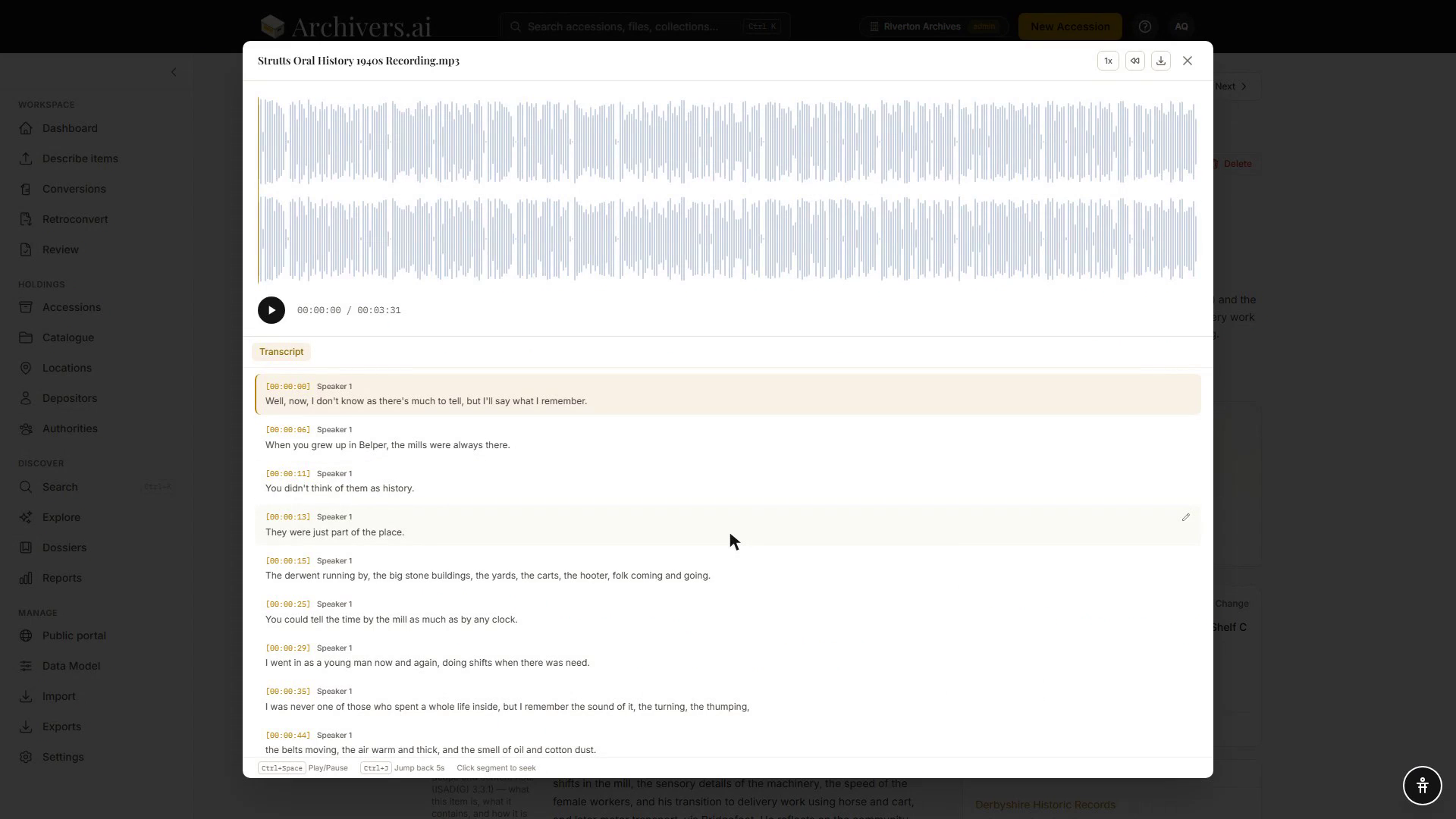
Archivers.ai transcribes spoken content in audio and video items, producing a time-segmented transcript synchronised with the player. Transcription is available on Starter and above. On Community the AI still describes a recording, but it cannot read it — the transcribe button is replaced by Upgrade to transcribe.
What gets transcribed
Transcription is opt-in and never runs by itself. Processing an item produces a description, its technical metadata and a transcribability score; transcription is a second step you start from the player with Transcribe Now. When you do, the transcript:
- Is segmented by speaker turn where speakers are distinguishable, each labelled Speaker 1, Speaker 2 and so on
- Includes per-segment timestamps
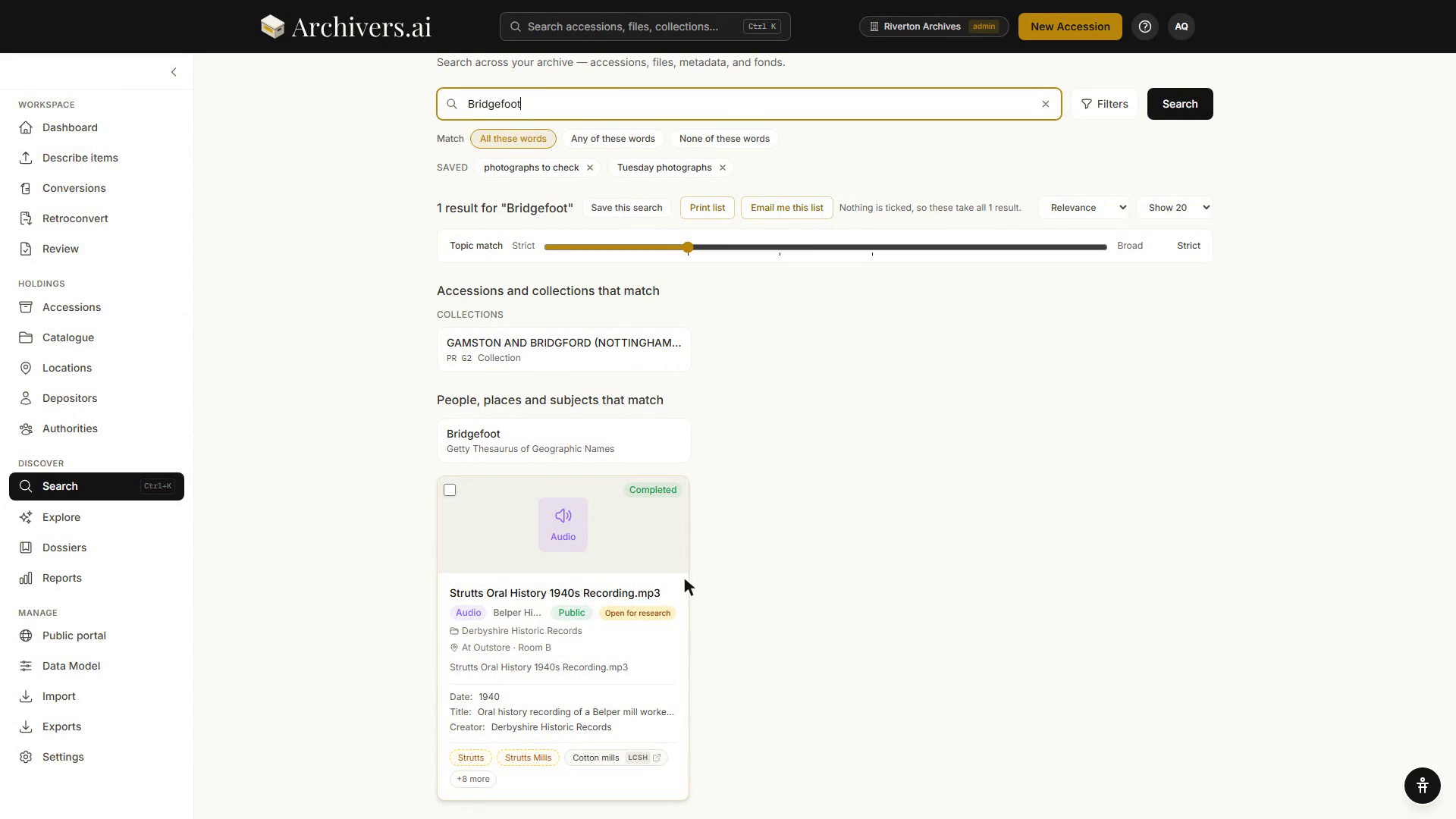
- Is fully searchable — the transcript joins the file's full-text index, so search hits across the archive include audio and video content
- Powers the synchronised player — click any segment to jump to that point
Because the transcript is indexed, a word spoken only inside a recording still leads a searcher to the record:
Quality and the transcribability score
Processing scores every recording for transcribability, from 1 to 10, and the score decides what the player offers:
- 7–10 — Excellent quality. Clear speech, speakers distinguishable. Transcribe Now runs it. Several speakers in a structured interview or panel don't count against the score.
- 4–6 — Challenging audio. Significant noise, music over the speech, or heavy crosstalk. The button reads Transcribe Now (Expect Errors) and carries a warning.
- Below 4 — Unintelligible / non-speech. Predominantly music, ambience or speech too damaged to follow. Transcription is refused by default — an archivist can override it and run anyway, but expect very little back.
The score comes with its limiting factors — background noise, overlapping crosstalk, low volume, language mixing and so on — and a one-line explanation of why it scored what it did.
Credit costs
| Item | Credits |
|---|---|
| Audio | 1 per started 5 minutes |
| Video | 1 per started minute |
There's no extra charge for transcription — running it later costs nothing beyond the credits the item consumed when it was processed.
Editing the transcript
Open the player. The transcript beside it is editable in place, segment by segment. The same in-place editing works on the recognised text of scanned documents — here a word the OCR was unsure about is corrected and saved without leaving the transcript view:
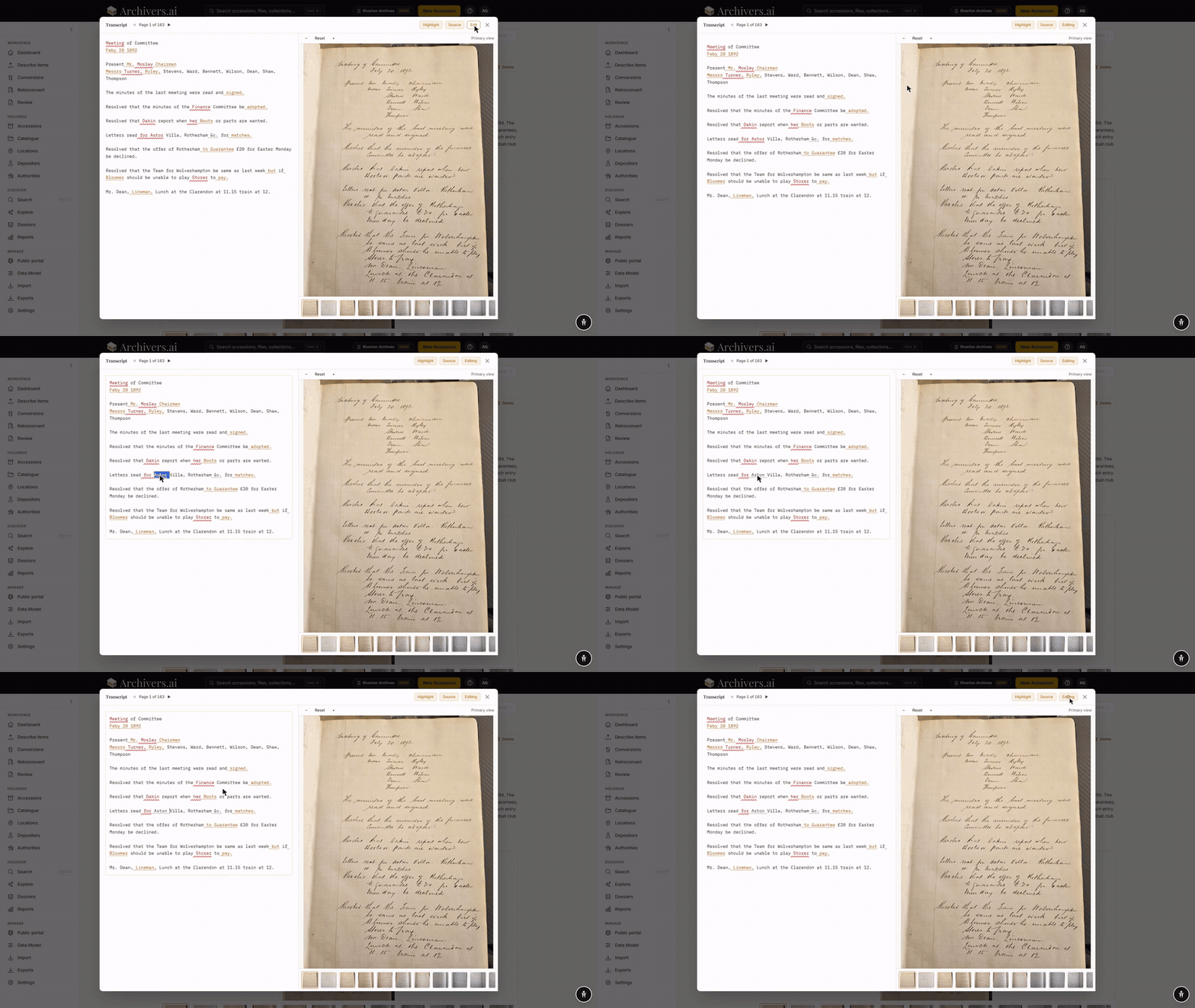
- Click a segment's pencil to edit its text
- Enter saves the segment, Esc cancels it
- Edited segments are marked, and the header shows Unsaved edits until you press Save. Closing the player with edits pending offers Save & Close, Discard or Cancel
Speaker labels are not editable — the numbered labels stand as the machine produced them.
Getting transcripts out
There's no per-item transcript download. Transcripts travel with the material instead: a BagIt export writes each recording's transcript alongside it as an SRT subtitle file, a VTT file and a plain-text file. See Export formats.
Limits
- Maximum duration per file: the file-size cap is the binding constraint — see Supported formats.
- Languages: English is the strongest. The platform auto-detects the language; non-English transcription is supported but accuracy varies by language.
- Your own transcripts: there's no way to supply one. SRT and VTT files can't be uploaded, and nothing substitutes for the machine transcript — correct it in place instead.