Reviewing Authorities
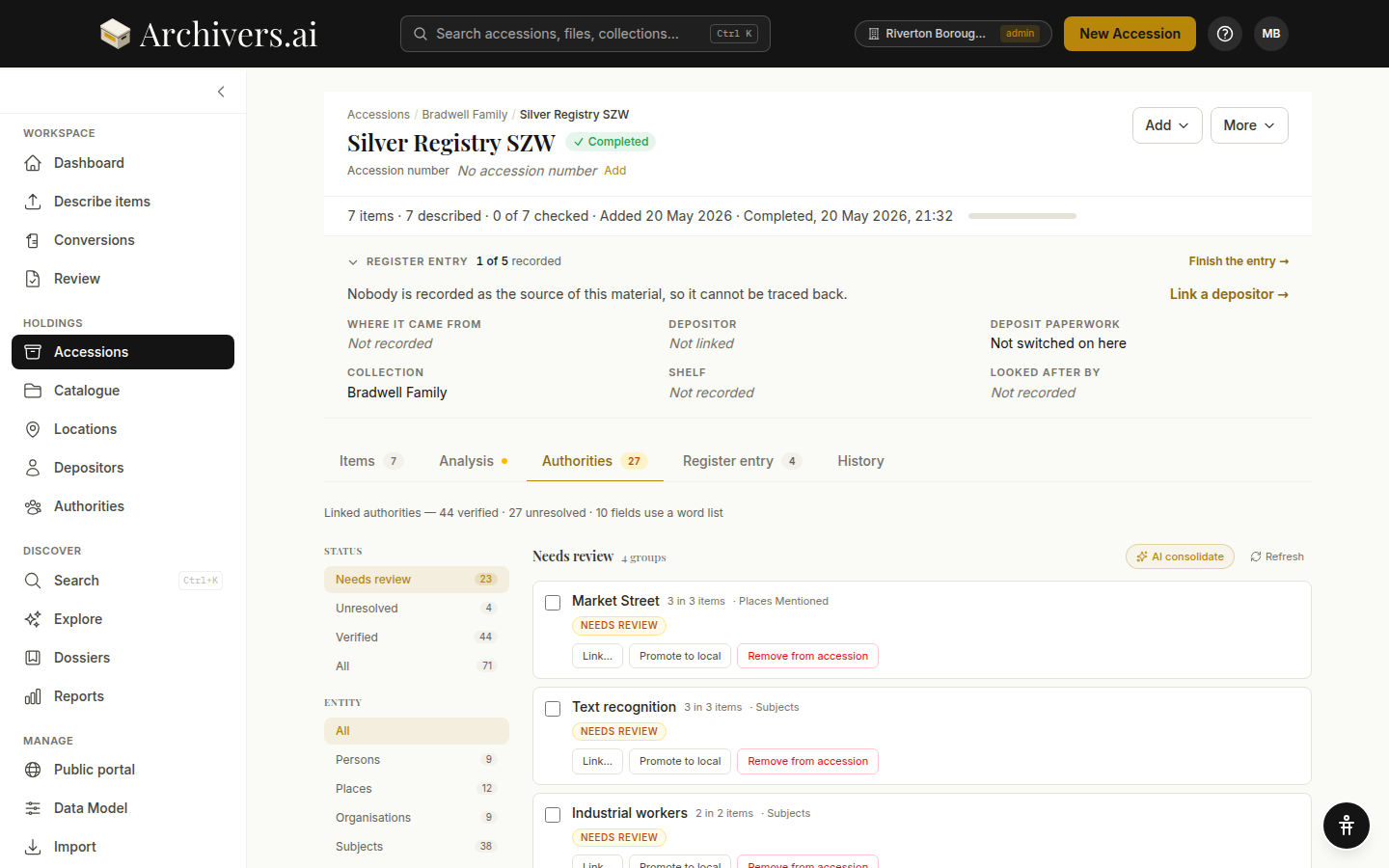
Every accession has an Authorities tab, alongside Items, Analysis, Register entry and History. It carries an amber badge counting what is still unresolved. This is where you review every authority the AI proposed across the accession's items.
Linked authorities are available on Starter and above. On Community the tab shows an Upgrade to link authorities panel instead: you can still review and edit item-level metadata by hand, but matching it to authoritative sources needs a paid plan.
The layout
Status filters on the left:
- Needs review — the model wants your attention (low confidence, conflicting candidates, or no good match)
- Unresolved — a candidate was proposed but not yet verified
- Verified — approved, auto-linked or local
- All — everything in this accession
The tab opens on Needs review, and moves you on by itself if there's nothing waiting there.
Entity filters below status:
- All — every entity type
- Persons — people mentioned (FAST / VIAF)
- Places — geographic locations (TGN / GeoNames)
- Organisations — institutions, companies, clubs (FAST / VIAF)
- Subjects — topical subject headings (LCSH / FAST)
Noise control:
- Hide single mentions — ticked by default, because entities appearing in only one item are the noisier signal. It tells you how many are hidden; untick to see them.
The header on each entity row shows the entity name, how many occurrences in how many items, any variant spellings, the top candidate and its source, and its current status.
Actions per entity
| Action | What it does |
|---|---|
| Approve top | Accept the candidate the model put first. Shown whenever there is one and the entity isn't already approved or local — the quickest way through a long queue |
| Link… | Open a picker to select or change the authority record. "Can't find a match? Try the 'Promote to local' action." |
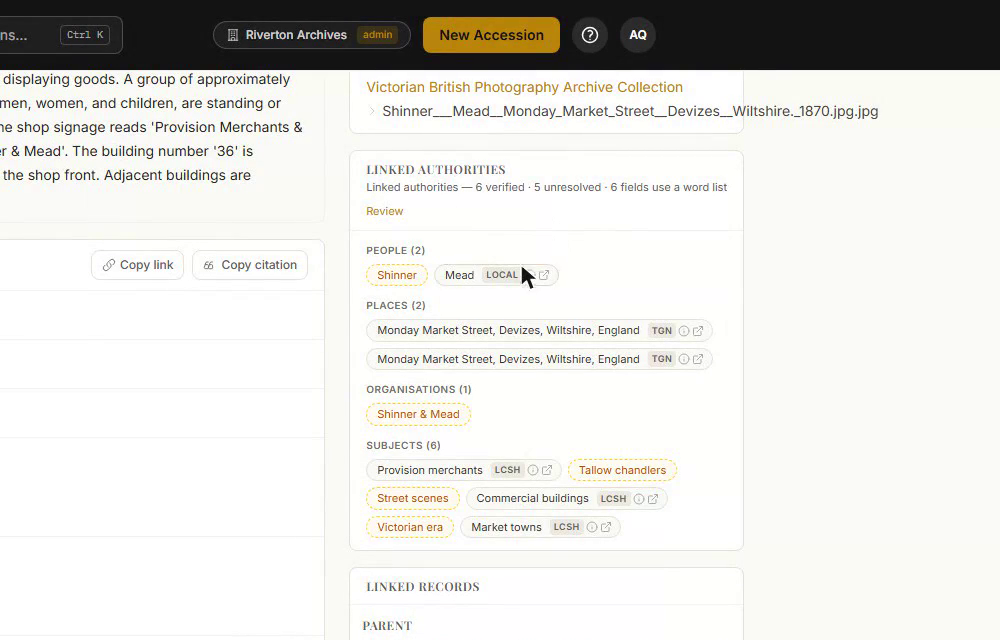
| Promote to local | Add the entity to your local vocabulary as a custom authority. You give it a Preferred label and any Alternative labels, then choose whether to apply it to this accession or every accession in my org. |
| Remove from accession | The entity stops being linked to any item in this accession (the items themselves stay). The confirmation lists exactly what will change, and it's undoable from history |
Bulk actions
The header has two shortcuts:
- AI consolidate — when several variant spellings of the same entity exist ("Derby Co FC", "Derby County Football Club", "Derby County FC"), the model proposes merges. Choose a scope (all types, or just people, places, organisations or subjects), add any context, and click Suggest merges. It runs in the background and the results land back on this tab for you to approve or reject.
- Refresh — re-run authority resolution against the current state of the accession (e.g. after you've edited descriptions)
Tick two or more rows and Merge… combines them, exactly as it does in the Authority Control workbench.
A practical workflow
For most accessions, the efficient flow is:
- Open the Authorities tab. Note the totals — "Linked authorities — 26 verified · 39 unresolved · 10 fields use a word list" shows you what's already done and what's left.
- Click "Needs review" first. These are the ones the model isn't sure about. Decide for each.
- Run AI consolidate. Merge variant spellings.
- Use Approve top on the obvious ones in Unresolved.
- Walk through the rest by entity type. Persons first (most likely to be wrong), then organisations, then places, then subjects.
Allow about 15–30 minutes per accession for a thorough authority review. Less if the accession is short or homogeneous.
What the model gets right
- Well-known entities — major people, places, organisations with dense Wikipedia / VIAF coverage
- Place names with clear context — when the document mentions a county or country, disambiguation is reliable
- Subjects with strong LCSH matches — broad subject vocabularies
What it struggles with
- Local entities — the village football club, the parish council. Often no global authority exists — use Promote to local.
- Homonyms without context — every "Smith" without other identifying clues
- Historical place names — if the place has been renamed since, the model may resolve to the modern name (sometimes you want this; sometimes you don't)
- Organisations that have changed name — the model usually picks the most recent name
Local vocabulary
The Promote to local action adds an entity to your organisation's local vocabulary — managed at Settings → Data Model → Local Vocabularies.
Local-vocabulary entries:
- Get their own URI within your archive, beginning
archivers:local/ - Are reusable across accessions and visible to your whole organisation
- Carry a preferred label and as many alternative labels as you need, so variant spellings resolve to the same term
Exporting authorities
Authorities flow into every export format that supports them:
- EAD3 —
<corpname authfilenumber="…" source="…">style attributes - Dublin Core —
dcterms:subjectwithrdf:resourceURI - JSON — full URIs in nested objects
- CSV — URI in a separate column alongside the label
Authorities not verified by humans still export — but EAD3 includes an audience="internal" flag so consumers can opt in to using them or fall back to verified ones only.
See also
- What is an authority?
- Managing authorities — org-wide linking, merging, and posture settings
- Applying domain packs